Preinstall binaries
Workers in Windmill can preinstall binaries. This allows them to execute these binaries in subprocesses or directly within bash. While some common binaries like npm, aws-cli, kubectl, and helm are already present in the standard images, you can add more by extending the base image of Windmill.
For an efficient way to preinstall binaries without the need to modify the base image, see Init scripts.
Below are the steps and examples to extend the base image:
FROM ghcr.io/windmill-labs/windmill:main
# or FROM ghcr.io/windmill-labs/windmill-ee:main for extending the enterprise edition

RUN apt-get update && apt install [...]

CMD ["windmill"]
Example: Installing Puppeteer (via npm)
FROM ghcr.io/windmill-labs/windmill-ee:main

RUN apt update
RUN apt install npm -y
RUN mkdir -p /etc/apt/keyrings
RUN curl -fsSL https://deb.nodesource.com/gpgkey/nodesource-repo.gpg.key |  gpg --dearmor -o /etc/apt/keyrings/nodesource.gpg
RUN echo "deb [signed-by=/etc/apt/keyrings/nodesource.gpg] https://deb.nodesource.com/node_20.x nodistro main" | tee /etc/apt/sources.list.d/nodesource.list
RUN apt-get update -y
RUN apt install nodejs libnss3-dev  libatk1.0-0 libatk-bridge2.0-0 libcups2-dev  libdrm-dev libxkbcommon-dev libxcomposite-dev libxdamage-dev libxrandr-dev\
  libgbm-dev libpango-1.0 libcairo-dev libasound-dev -y
RUN npm install -g puppeteer -y

CMD ["windmill"]
Note: The example above uses the enterprise edition (
windmill-ee) as the base.
Example: Installing Playwright (via uv)
FROM ghcr.io/windmill-labs/windmill-ee:main

RUN uv tool install playwright
RUN playwright install
RUN playwright install-deps

CMD ["windmill"]
Note: The example above uses the enterprise edition (
windmill-ee) as the base.
Examples with docker compose
All examples above can be used in your docker-compose.yml by specifying the build context.
Replace:
  windmill_worker:
    image: ${WM_IMAGE}
With the following:
  windmill_worker:
    build:
      context: ./path/to/dockerfile
      args:
        WM_IMAGE: ${WM_IMAGE}
Note that you can pass environment variables from your .env file via the args above and use them in your Dockerfile:
ARG WM_IMAGE
FROM ${WM_IMAGE}

[...]
Init scripts
Init scripts provide a method to pre-install binaries or set initial configurations without the need to modify the base image. This approach offers added convenience. Init scripts are executed at the beginning when the worker starts, ensuring that any necessary binaries or configurations are set up before the worker undertakes any other job.
Init scripts are available only on self-hosting and enterprise edition on private clusters.
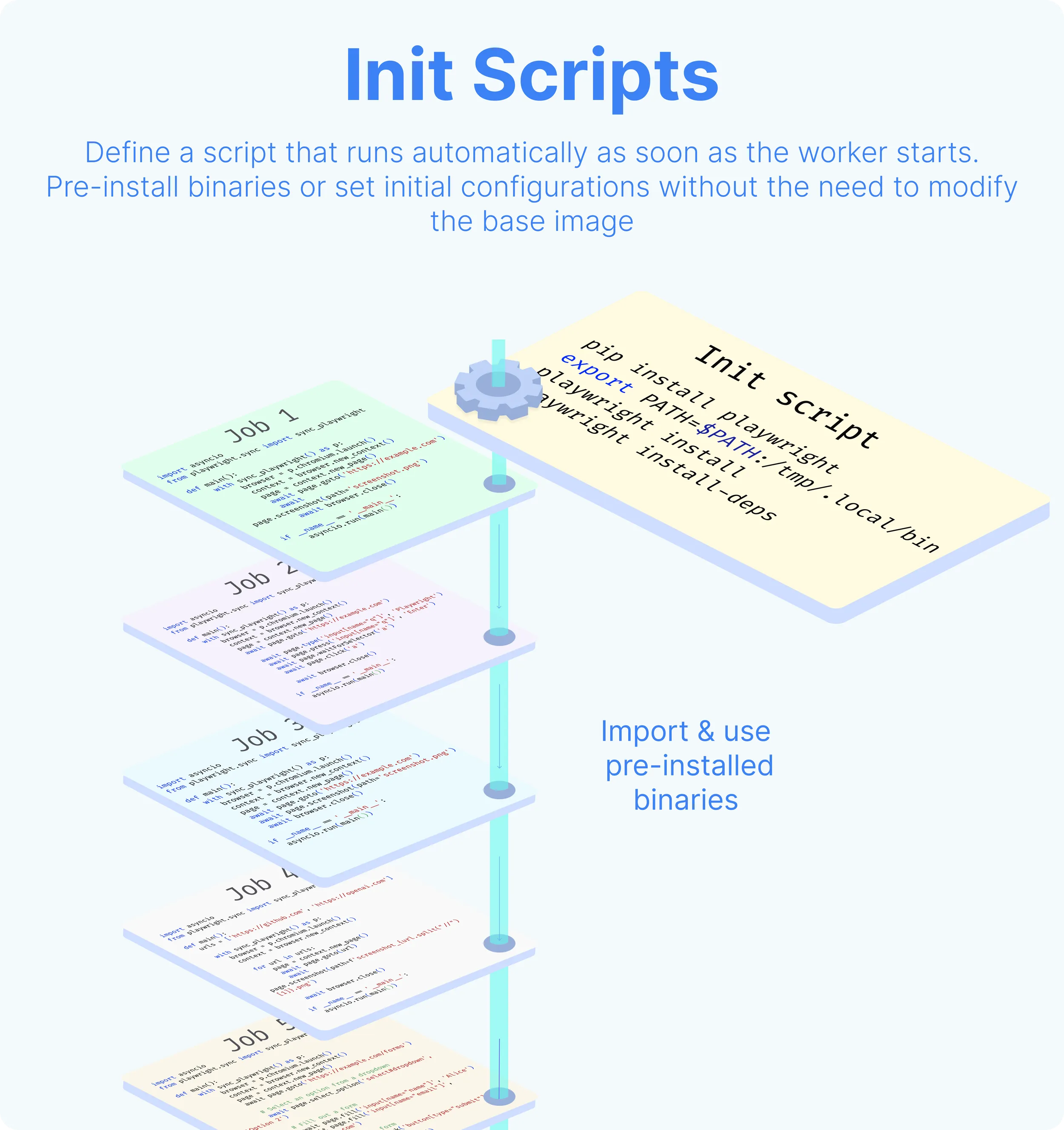
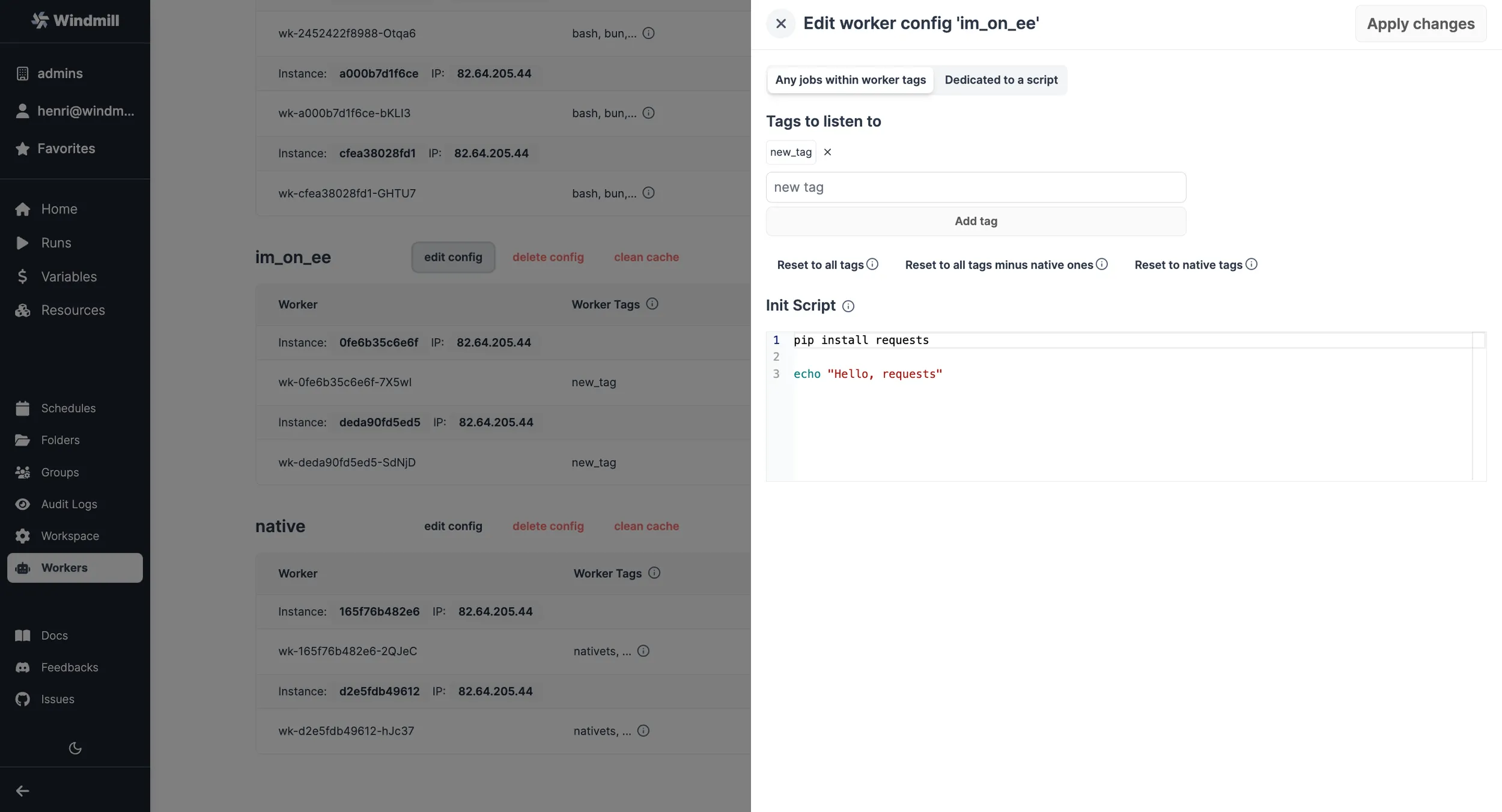
Any scripts are set from the Worker Management UI, at the worker group level. Any script content specified in INIT_SCRIPT will be executed at the beginning when each worker of the worker group starts.
When adjustments are made in the Worker Management UI, the workers will shut down and are expected to be restarted by their supervisor (Docker or k8s).
The execution of Init scripts is inspectable in the superadmin workspace, with Kind = All filter. The path of those executions are init_script_{worker_name}.
Windmill does not pre-install pip or python directly in the base image as system binaries, instead it uses uv and uv manages the python versions (including pre-installing one for performance).
To pre-install packages using pip, you will want to use uv, in particular the uv tool install command. The bin path of uv tool is already in the PATH of the worker, so your jobs will be able to run directly binaries installed in such way.
Global site-packages for Python
Windmill workers include a global-site-packages directory on the Python path for each Python version. Any packages placed in this directory are available for import in all Python scripts running on that worker.
The path follows this pattern:
/tmp/windmill/cache/python_<major>_<minor>/global-site-packages
For example:
- Python 3.11.*:
/tmp/windmill/cache/python_3_11/global-site-packages - Python 3.12.*:
/tmp/windmill/cache/python_3_12/global-site-packages
Use uv pip install with the --target flag to install packages into this directory:
uv pip install --system <package> --target /tmp/windmill/cache/python_3_11/global-site-packages
This is particularly useful for:
- Packages with heavy native dependencies (e.g.
pandas,numpy) that you want pre-installed to avoid per-job install overhead. - Shared libraries that every script on the worker should have access to.
- Packages installed via init scripts or custom Docker images.
Skipping dependency resolution for pre-installed packages
Installing a package into global-site-packages makes it importable at runtime, but Windmill's dependency resolver will still see the import line and attempt to resolve the package from PyPI when generating the lockfile.
To skip resolution for pre-installed packages, add them to the PIP local dependencies list in the worker group's Python runtime settings. This tells the resolver to exclude matching packages from lockfile generation.
Each entry is treated as a regex pattern, so pandas matches pandas, pandas==1.5, etc. You can also use the PIP_LOCAL_DEPENDENCIES environment variable (comma-separated) as an alternative to the UI.
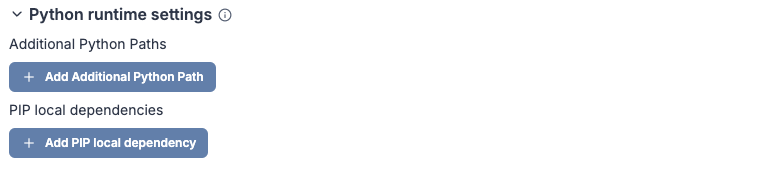
For example, if you pre-install pandas and numpy into global-site-packages, add both to the PIP local dependencies list so scripts that import pandas or import numpy won't trigger a PyPI resolution for those packages.
Make sure the target path matches the Python version your scripts use. If you run scripts on multiple Python versions, install the package into each version's global-site-packages directory.
Example: Installing Pandas
uv pip install --system pandas --target /tmp/windmill/cache/python_3_11/global-site-packages
Example: Installing Playwright (via uv)
uv tool install playwright
playwright install
playwright install-deps
More at: